Planning Home
Contact Us
Upcoming Meeting Items
Ordinances and Regulations
Planning District Maps
Storm Water
Permit Application and Fee Information
Forms and Checklists
Zoning Elections
Advisory Committees
Environmental Advisory Committee
Planning Commission
Board of Adjustment
Natural Resources
Historic Resources
Flood Information
Other Resources
To view permit applications and approvals start by clicking this link:
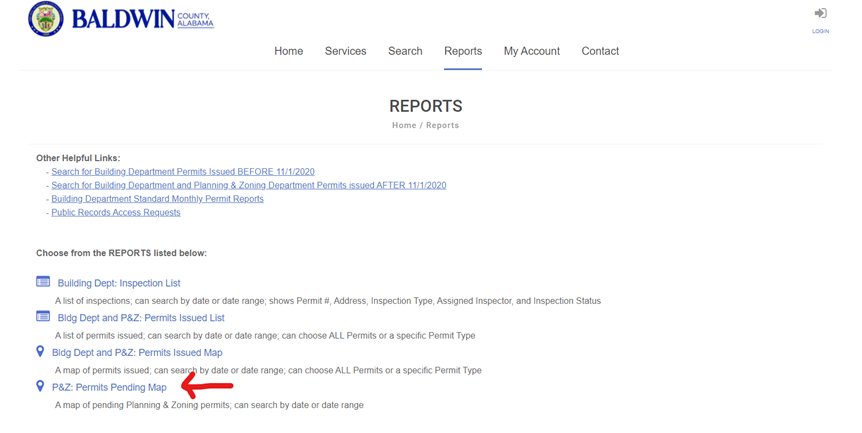
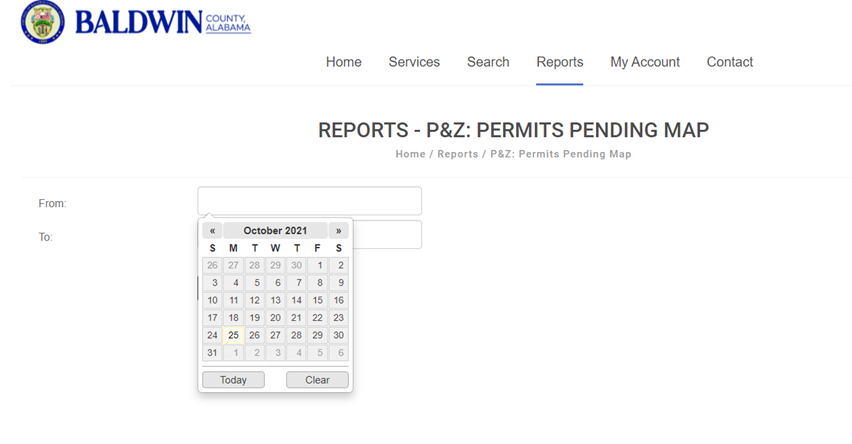
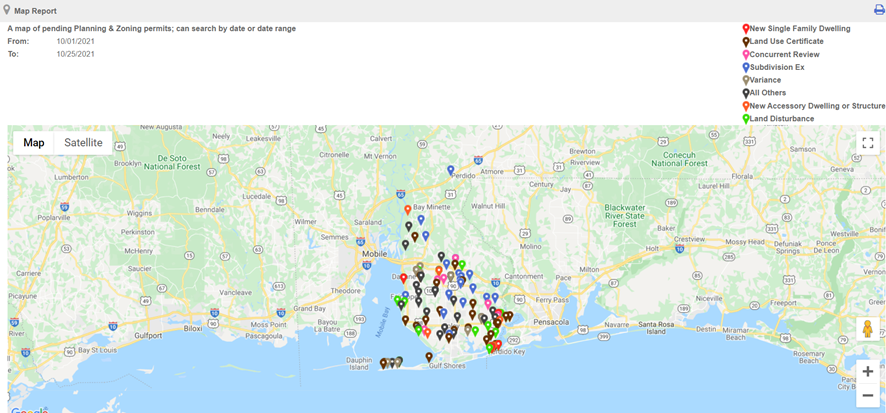
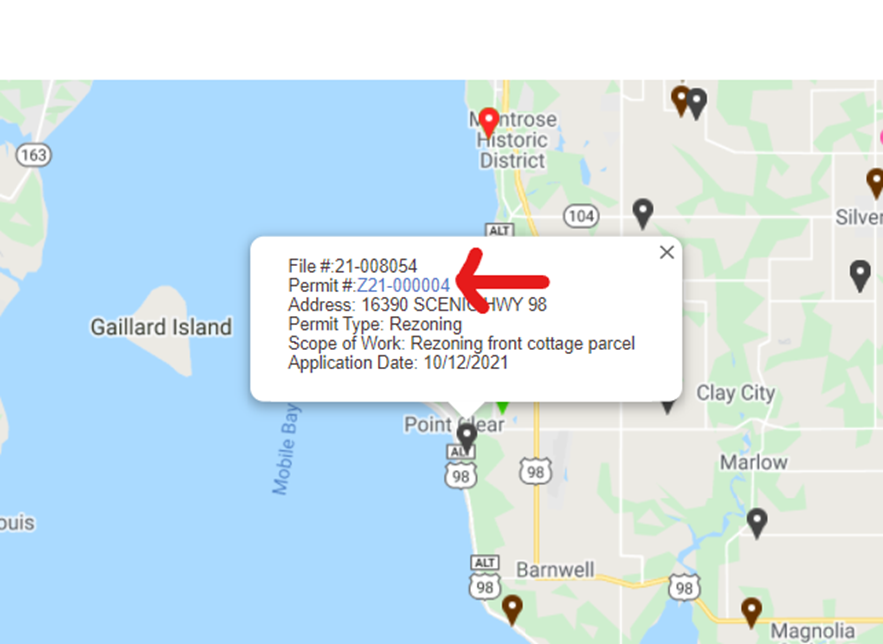
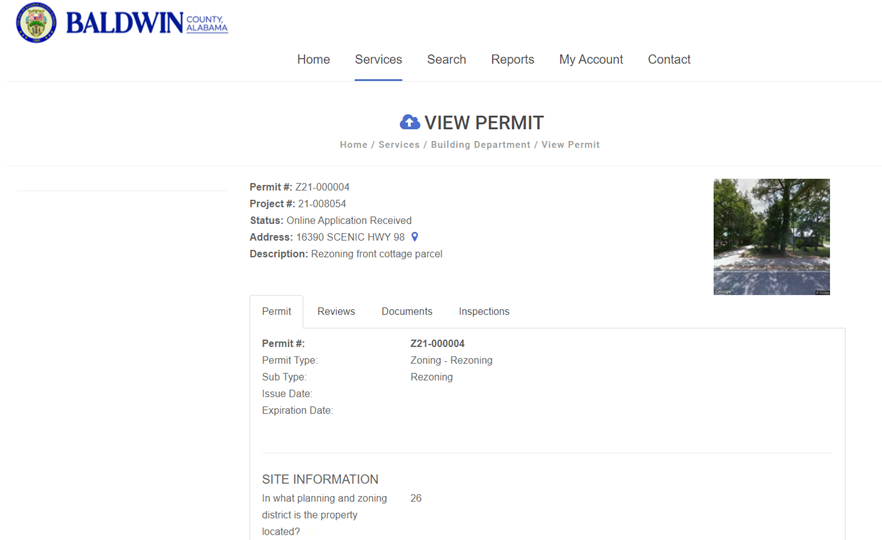
If you receive a pop-up blocker notification, try clicking the notice and select “always allow from this site” or something similar. The link opens the report in a new tab in your browser which may trigger the blocker. The following images show the steps to view permit applicants and approvals:
Step 1:
Step 2:
Step 3:
Step 4:
Step 5:

Contact Baldwin County Citizen Service Center
251.580.1695
Email Citizen Services
Email Webmaster for Web Inquiry
Accessibility Statement
Baldwin County Commission, Alabama. All rights reserved.
Powered by BCC CIS